
Garry, the assistant

Garry is Garrison’s assistant. It looks after your systems and cloud accounts with you: it answers questions about the estate, runs read-only checks, drafts fixes and changes for you to approve, sets up monitoring and recurring jobs, and, on the security side, queries your SIEM and works through alerts.
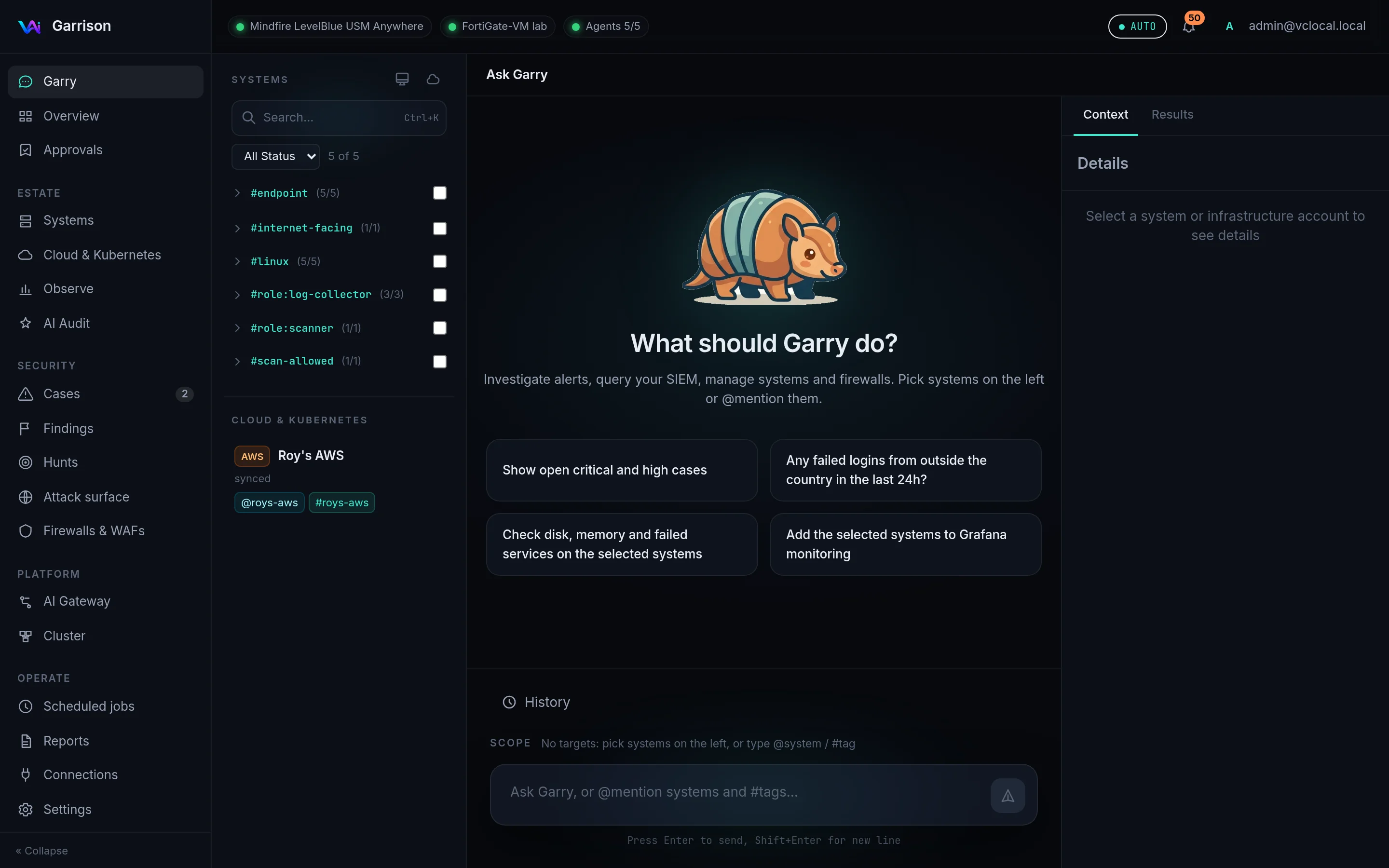
Type in the box at the bottom and press Enter. Some examples:
- “Check disk, memory and failed services on the selected systems”
- “Why is nginx failing on @web-01?”
- “Install the monitoring agent on #prod”
- “What did we spend on AWS this month, and on what?”
- “Which EC2 instances are publicly reachable?”
- “Show open critical and high cases”
- “Block 203.0.113.50 on the FortiGate”
Choose what Garry works on
Section titled “Choose what Garry works on”Garry acts only on what you point it at. The Scope line above the input shows the current targets.
| How | Example |
|---|---|
| Tick systems or tags in the left column | #linux (5/5) selects every Linux system |
| Mention a system | @spark-a23a check the load |
| Mention a tag | restart nginx on #web |
| Mention a cloud account | @roys-aws what did we spend this month? |
| Select cloud resources | On Cloud & Kubernetes, tick resources, then ask |
The left column groups systems by tag and lists cloud accounts with their @mention and #tag.
Use Ctrl+K to search it.
What runs, and what waits
Section titled “What runs, and what waits”| Kind of step | What happens |
|---|---|
Read-only check on a system (df -h, systemctl status nginx, journalctl -u ssh) |
Runs at once; the output appears in the conversation |
Read-only cloud call (AWS describe/list/get, Azure list/show, kubectl get) |
Runs at once |
| SIEM query, case or Garrison lookup, web search | Runs at once |
| Anything that changes a system, a cloud account, a firewall or a WAF | Proposed. It shows the exact command or rule and waits for your approval |
Garrison decides what counts as read-only, not the model: a command runs on its own only if every
program in it is a known read-only program without its writing flags, nothing touches credentials,
and nothing redirects or substitutes. Several such commands may be chained (df -h; free -h) and
piped into text filters such as grep, head or wc. You can make Garry ask before everything under Settings → Preferences → All
commands.
To approve, click Approve on the step in the conversation (or in Approvals). You can edit the command first. Only the command shown is run.
Results and history
Section titled “Results and history”- Results (right panel) collects the outputs of the steps in this conversation.
- Context shows the details of the selected system or cloud account.
- History lists your earlier conversations. Garry remembers what it found on your systems and uses it in later answers.
Scheduling
Section titled “Scheduling”Ask for something recurring, such as “every morning at 7, check disk space on #prod and tell me if any volume is over 80%”. Garry shows the schedule and what it will do; approve it and it appears under Scheduled jobs.